
A school-matinee reservation system that understands photo consent and sight lines
Replaced a Microsoft Form, a spreadsheet, and a lot of manual tracking with a production system handling reservations, seating, invoicing, payments, and waitlists.
- Custom plugin development
- Seating and allocation logic
- Invoicing and payments
- Admin tooling and CSV export
Before
A link on the website pointed to a Microsoft Form. The form fed a spreadsheet. From there it was somebody’s job to do all of it by hand:
- Read the spreadsheet and work out who had actually booked what
- Click individual seats, one at a time, to assign each school group
- Work out pricing and produce an invoice
- Track which invoices had been paid, partly paid, or not paid
- Send every confirmation and follow-up email
- Keep all of it reconciled as groups changed headcount, canceled, or arrived late to the list
None of it talked to the venue maps, the seating charts, or the event details that already existed on the site. The information was in the building; it just wasn’t connected to anything.
That is a system held together by one person’s attention, and it fails the way those always fail — not dramatically, but on the day someone is ill, or the week two shows sell at once.
After
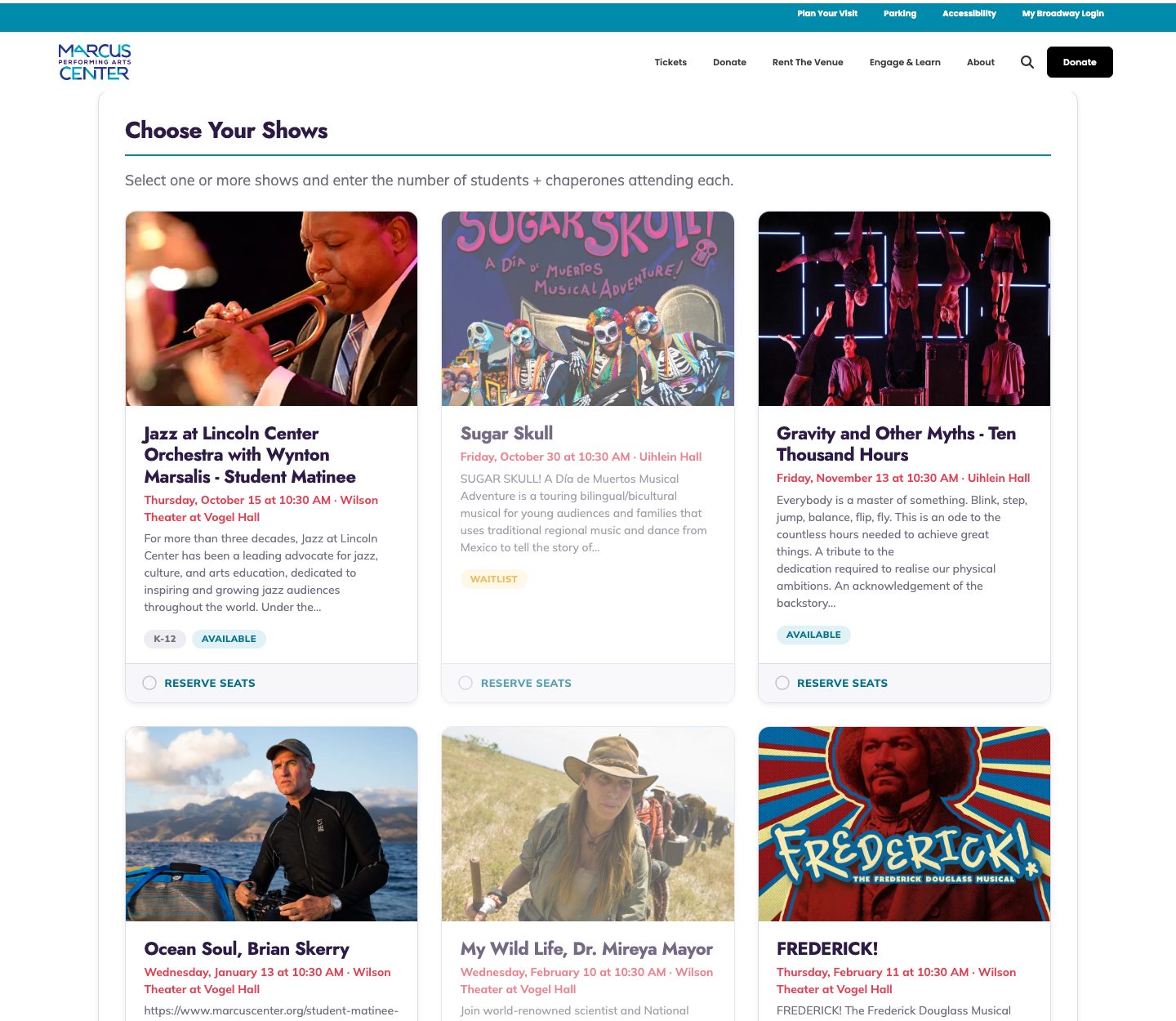
A single system on marcuscenter.org that does the whole chain: reservation, seating, pricing, invoice, payment tracking, email. It reads the venue and seating maps directly, and pulls performance details from The Events Calendar, which already held the schedule. Nothing is re-entered, and no step depends on somebody remembering it.
What that took
A WordPress plugin, now at version 1.13, running in production. Around 8,600 lines of PHP across 43 files, structured as proper classes rather than a pile of hooks: reservations, shows, venues, seating, pricing, invoicing, email logging, and an admin layer covering payments, waitlists, season setup, merges, and exports.
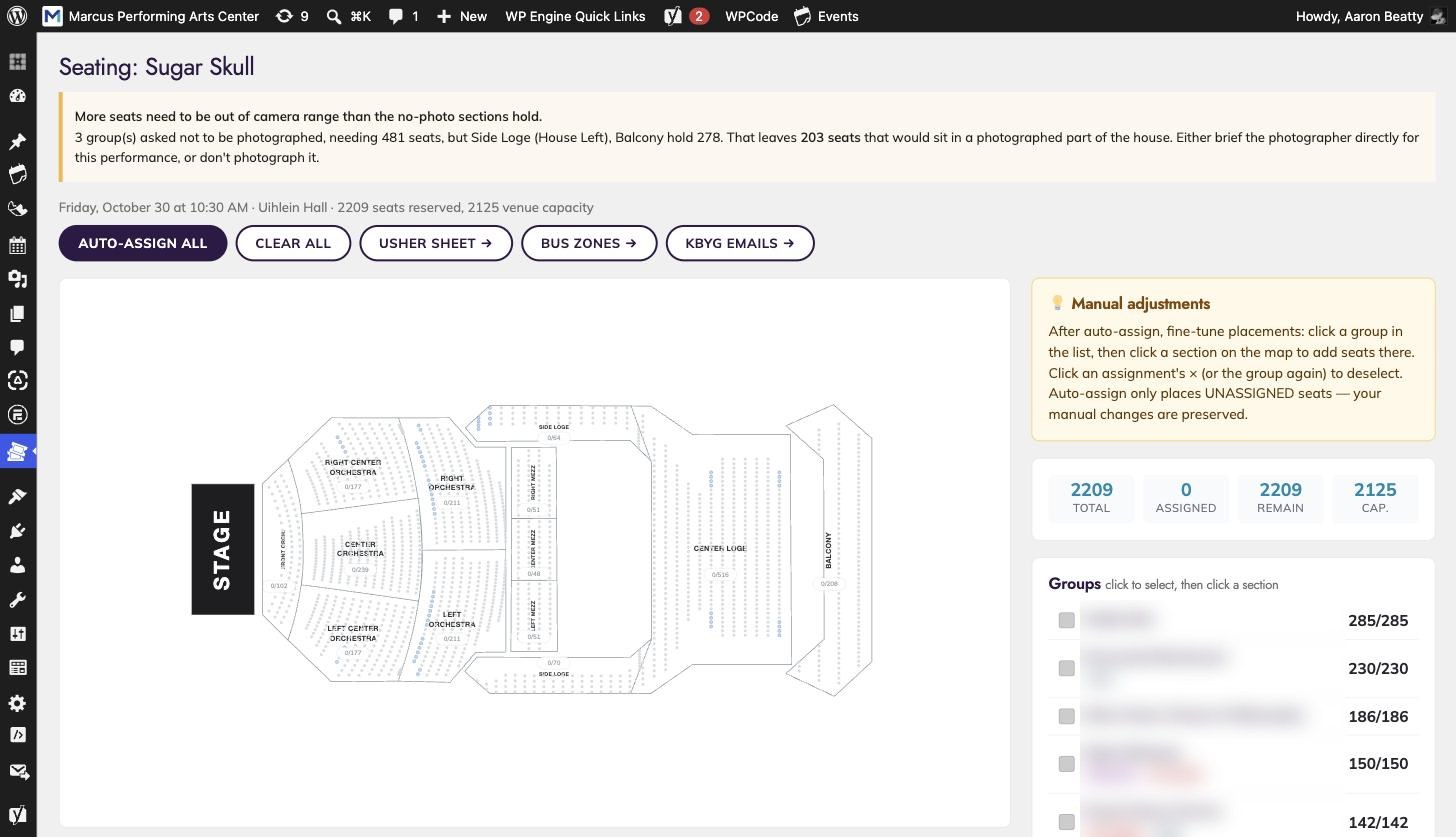
The seating logic is where the domain actually lives. Allocating school groups to a theater is not a matter of counting seats. The system models:
- Group priority, so the allocation order reflects how the series is actually sold
- Pre-K groups, which have different placement needs from older students
- Photo consent. Some groups include students who cannot be photographed. The system tracks which groups have declined, knows which sections sit in camera sight lines, and keeps those groups out of them — rather than leaving a staff member to remember it on the day.
- ASL interpretation, placing groups who need it within sight of the interpreter
- Section usage and color assignment, so the resulting seating chart is readable at a glance
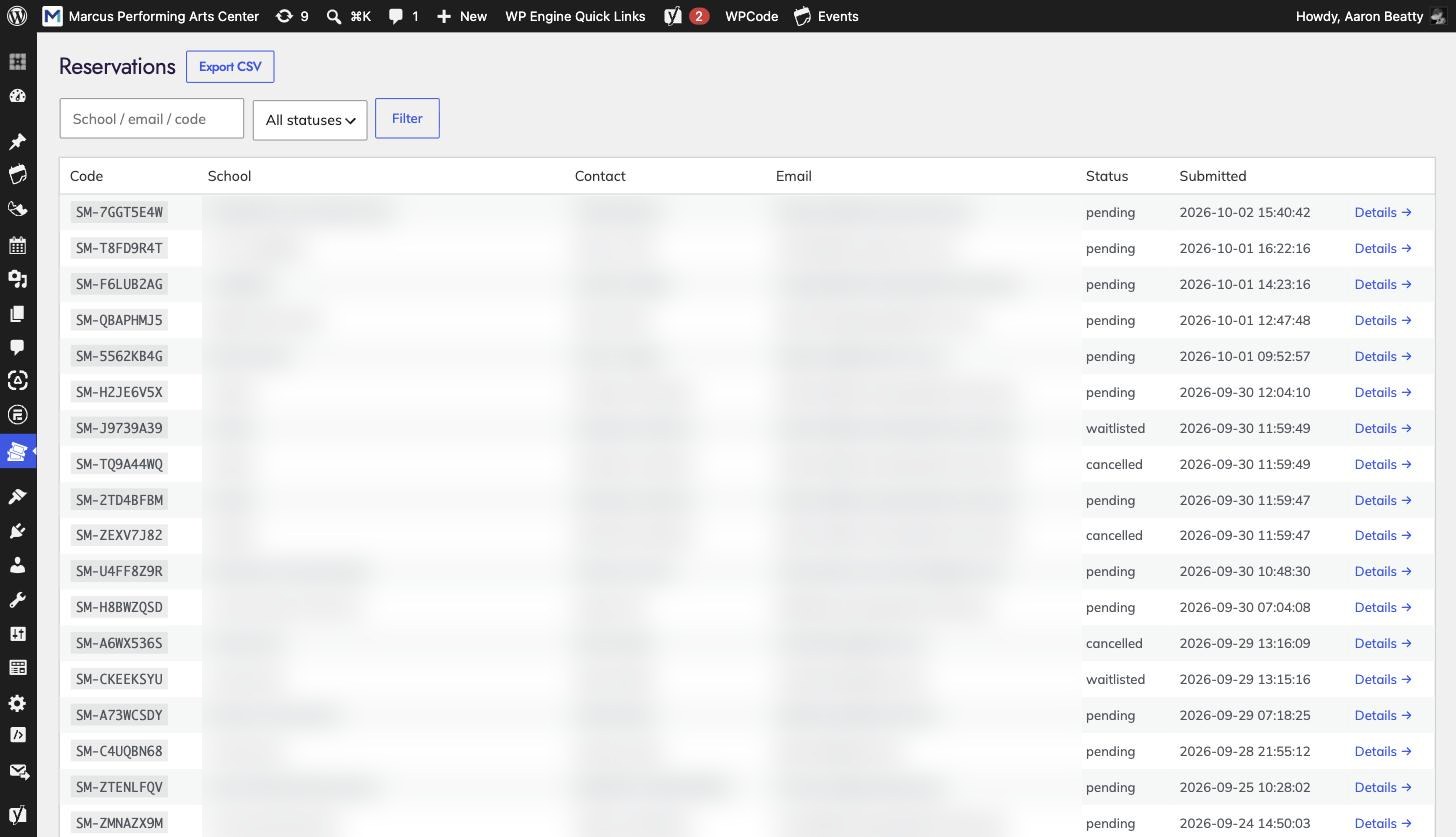
Invoicing is the single largest component, at a thousand lines. Tiered per-seat pricing, invoice generation, payment tracking, and the reconciliation an arts organization needs when a school pays late, pays partially, or changes its headcount a week out.
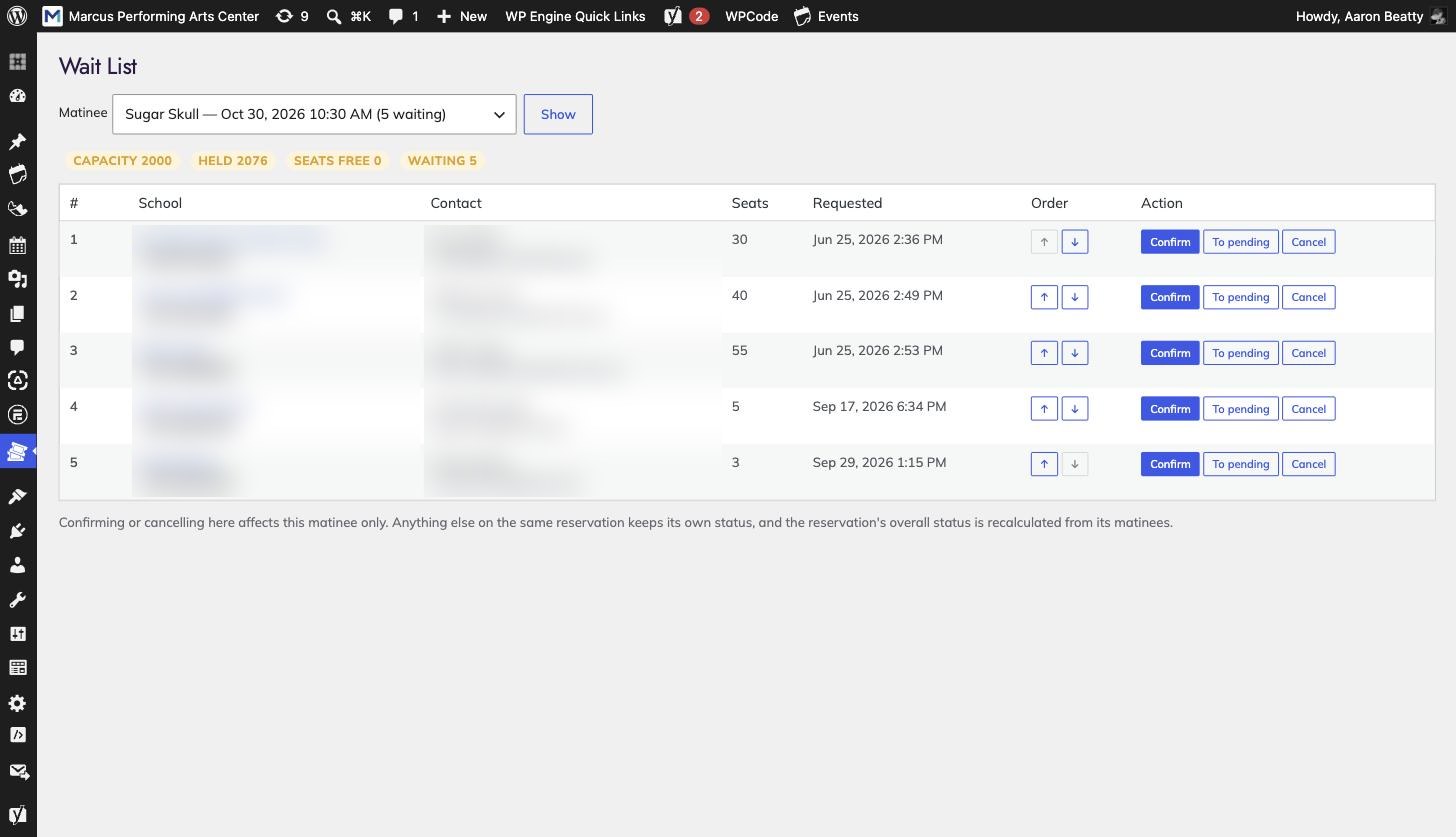
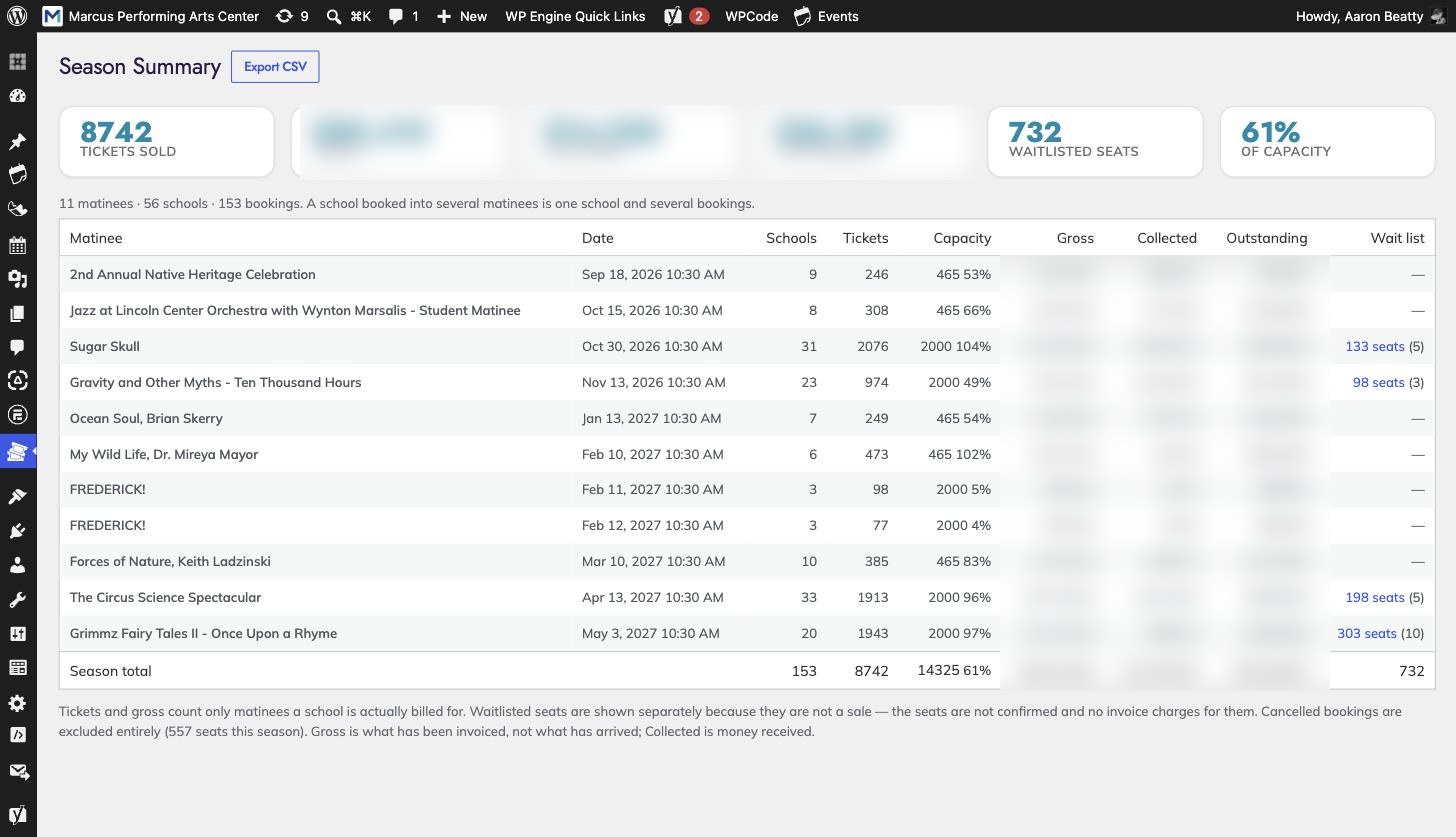
Admin tooling covers the operational reality rather than the happy path: a waitlist when a performance fills, a merge tool for duplicate reservations, season rollover, Google Sheets export, and a know-before-you-go flow for confirmed groups.
Why it matters beyond this project
This is the same instinct that shows up in the Marketing Cloud work. The platform does what it does; when the requirement sits outside it, the answer is to build the missing piece properly rather than bend the configuration until it almost fits.
Fidelity Bank’s form routing is the same move inside Salesforce Marketing Cloud — a CloudPage driven by a data extension row, because the native forms could not express what the bank needed. A theater’s seating rules and a bank’s lead routing are not obviously related, but the engineering judgment is identical.
Something similar on your side?
Thirty minutes, no deck. Tell me what's going on and I'll give you a straight read on it.
Book a working session